
Message Centre – Schedule
Contents
Introduction
We are now at the final stage of sending a message: schedule. Let’s go through each section individually as we go through sending your message and setting a schedule for sending.
You have the option to watch the below video on selecting your recipients or go through the written guide below the video to learn more.
Video
Schedule Overview
After composing your messages you will have the option to Schedule the message, there will be two options Immediate and scheduled.
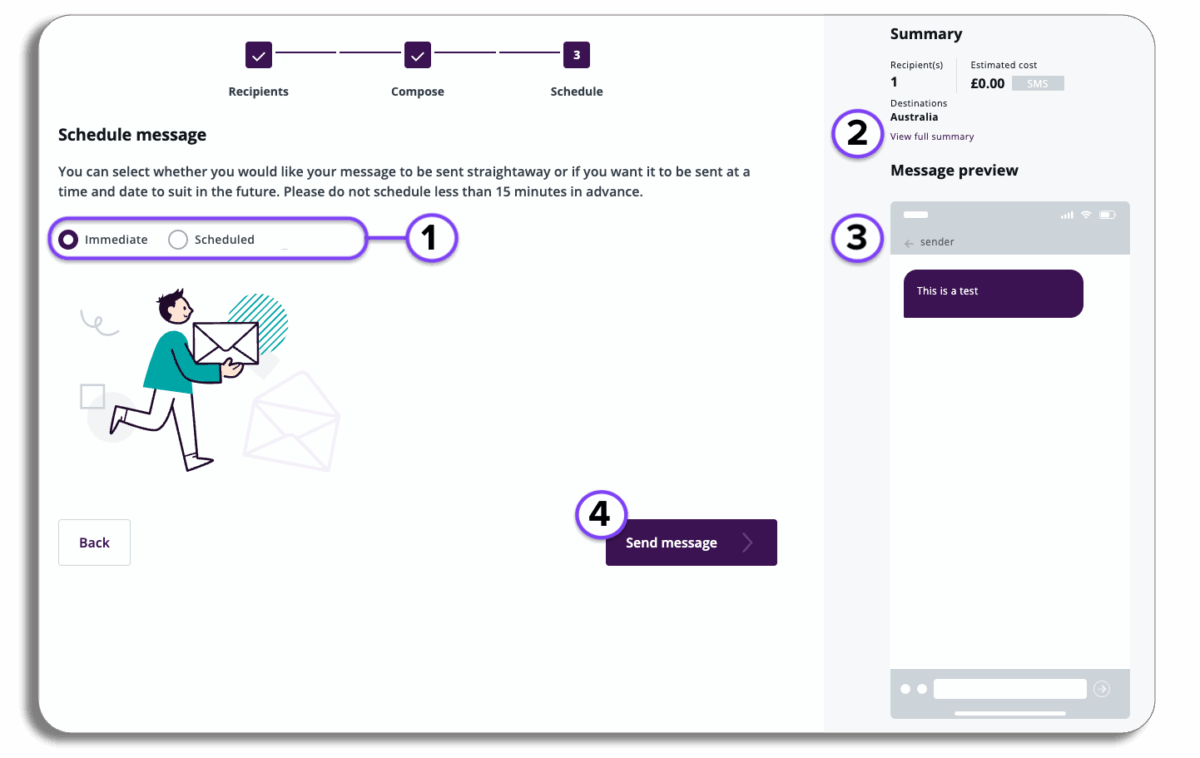
- Schedule Tools: Choose how you want to schedule your message.
- Immediate: Selecting this will let you send your message when you press Send message.
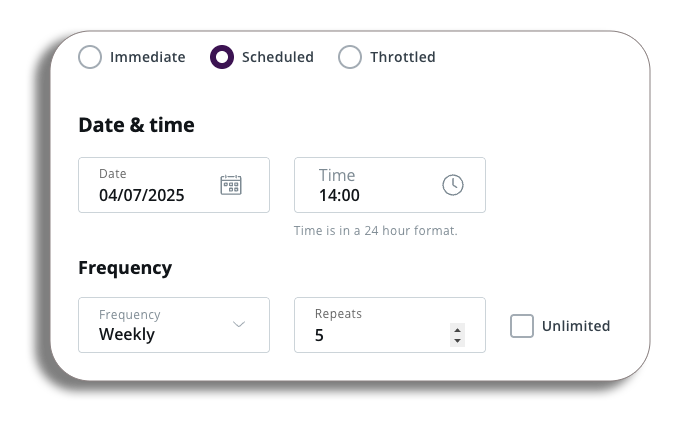
- Scheduled: Selecting this will let you set the date, time and frequency of the message.
- Summary: Select ‘View full summary’ for a breakdown of message costs.
- Message Preview: how the message will look for the recipient.
- Send Message: Press to send your message.
Schedule message
There will be two options for you to schedule your message, Immediate will send the message when you press send message, scheduled will let you set some parameters around the message for sending, lets take a look at those.
Scheduled
You will be able to select a future date and time and they can set these messages to repeat at various frequencies. These range from daily to annually, you can also set them as does not repeat.
Throttling
Message throttling allows users to manage a send’s duration (start and finish times) and speed (messages per hour).
This provides you with enhanced control over the anticipated inbound activity from message recipients following a bulk message send.
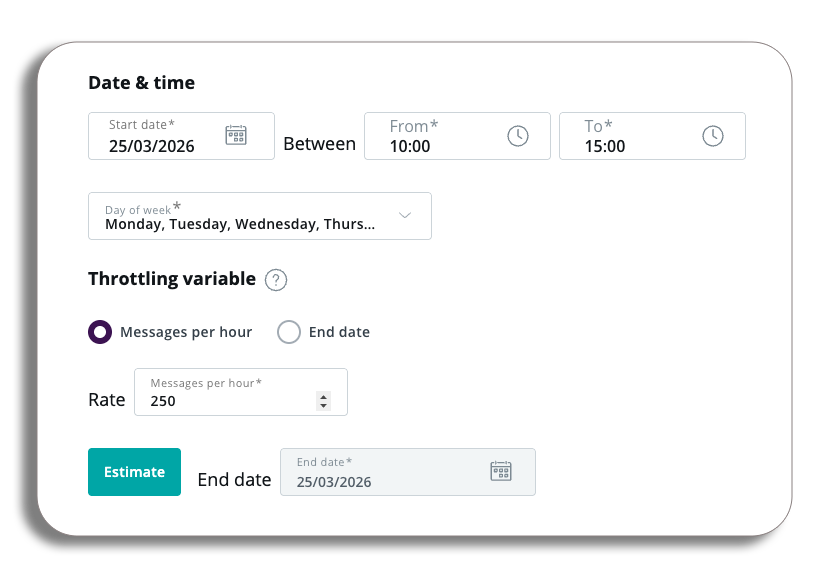
Message per hour
Message per hour allows you to specify the number of messages to be sent per hour, and we will then calculate the estimated completion time for the send.
You can set the start and end times for message delivery, along with the start date. Once you have defined the message rate per minute, select the “estimate” button to view the projected end date.
End date
End date sending allows you to control the exact timeframe for when your messages are delivered. Instead of manually setting a “messages per hour” rate, you simply define the desired completion time for your send.
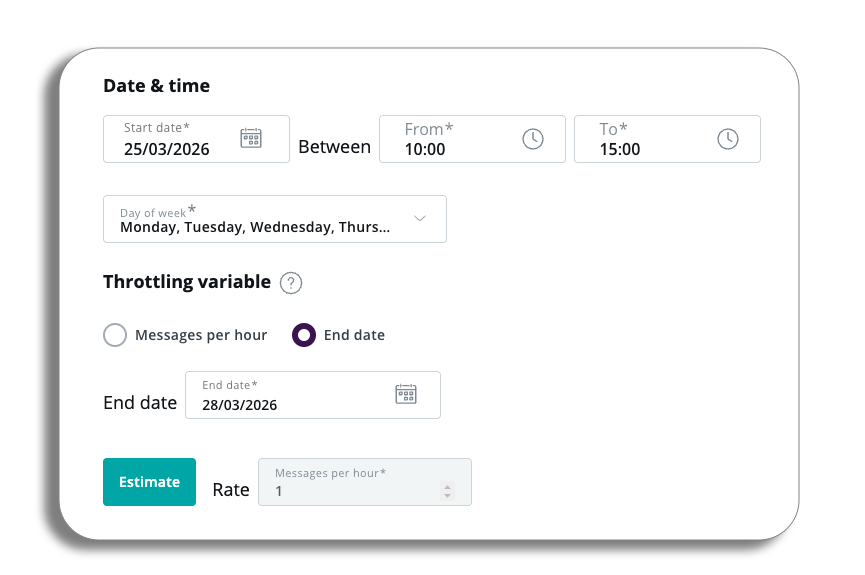
Our system calculates the optimal message rate to ensure all your messages are sent within that specified period.