
Sending Balance
Introduction
Sending balance is where you can top up your balance, share your balance with sub accounts and see your current balance. Let’s take a look around.
The prepaid account will have an extra account for their wallet, which will show their top-up history and your historical top-ups.
Please note: Top-ups will expire after a certain amount of time. Based on the way you top up, they will all have an expiration date, will be able to see which are still active and which have expired.
Let’s take a look at the top-up history.
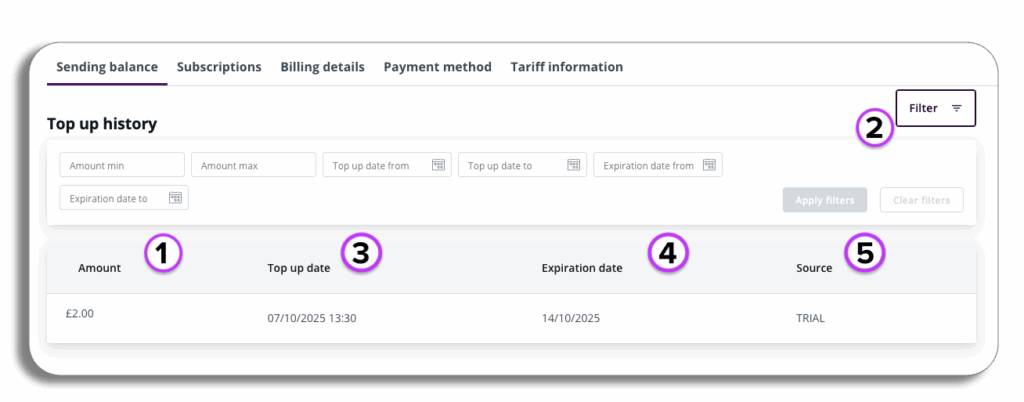
- Available balance – your current balance, you will be able to access your tariffs and top up from the button.
- Filter – as you add more purchases to your wallet, you will be able to filter your purchases by min/max amount, top date and expiry date.
- Top-up date – the date you topped up your amount.
- Expiration date – the date the top-up will expire.
- Source – How you purchased the top-up.
Please be aware – Top for the UK will expire after 12 months in the UK; other territories will vary.
Let’s take a look at the right column and go through topping up your balance.
Topping up
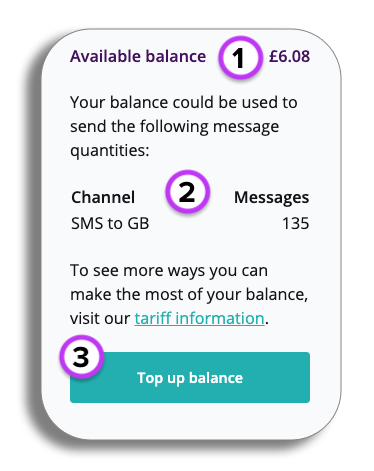
- In the right column, you will see your current available balance.
- This is the list that breaks down what your channels you can use your balance for, and the amount.
- Top up balance is for adding more balance to your current account.
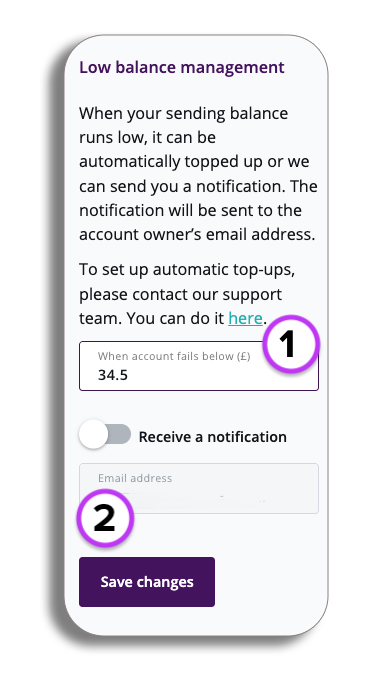
Low balance management
- Low balance management gives you the option to set the amount that will be your low balance threshold.
- Receive notifications sends an email to the account owner when the low balance has been reached.
Top up balance
When you select top balance, you will be taken to a new screen where you will be able to enter the amount you wish to top up, and whether it is a one-off payment or a monthly payment.
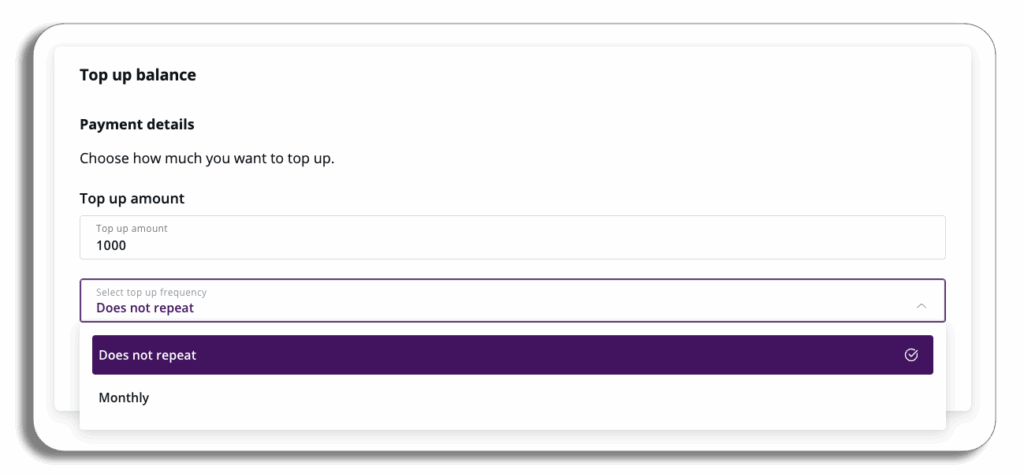
Please be aware: If you select monthly, you will be advised that the balance will expire at the end of each month.
When you are happy with the amount, press Pay securely.
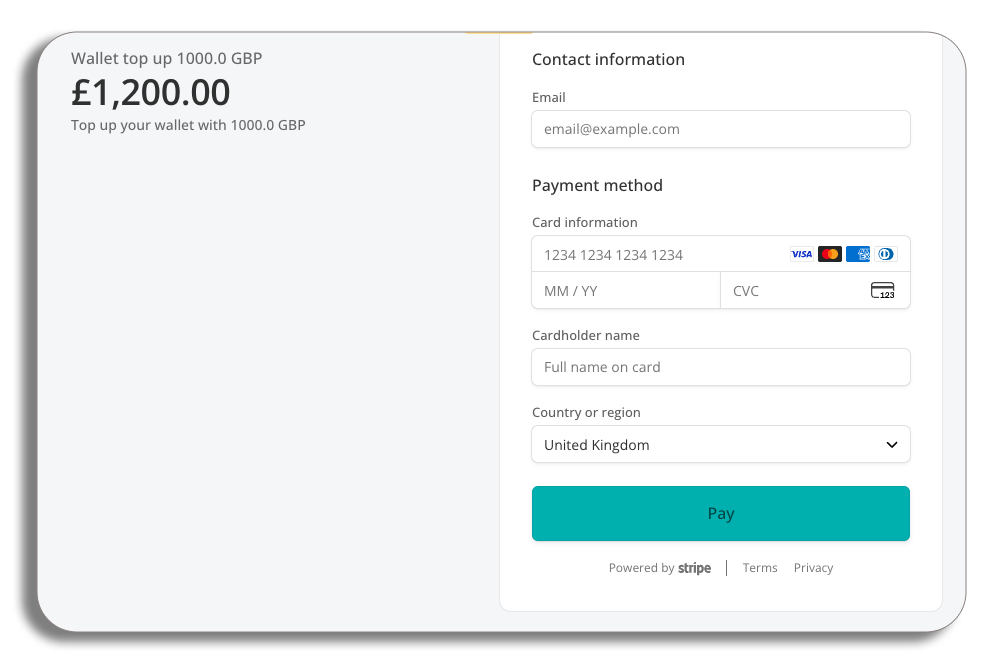
Please be aware: VAT at the applicable rate will be calculated and shown on the payment screen.
On the payment page, you will have your final selected wallet top-up amount with the added VAT. You will just need to enter your email address and payment details, and then press pay