General Message Settings
Introduction
In General message settings, you will be able to set and amend your sending limits and hours, lets take a look.
How to get to General Message Settings
- PLEASE BE AWARE – To be able to access General message settings you will need to have administration access.
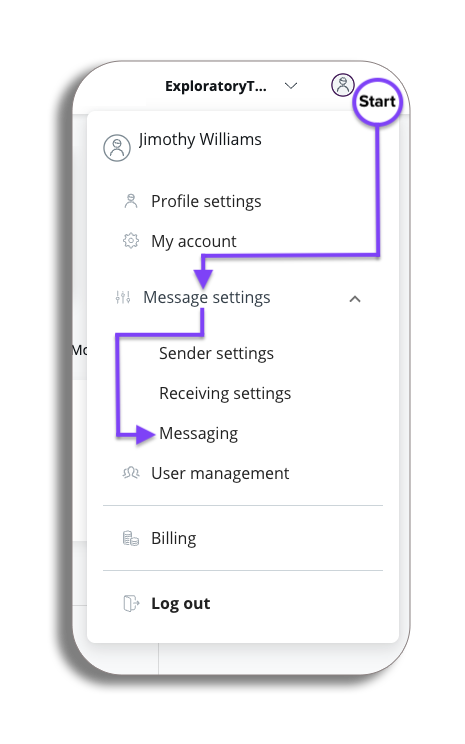
- To get to General message settings select the drop-down option next to your profile, select Message settings and then Messaging.
Video
Overview
You will now be on the settings page and in the general messaging settings tab.
Sending Limit
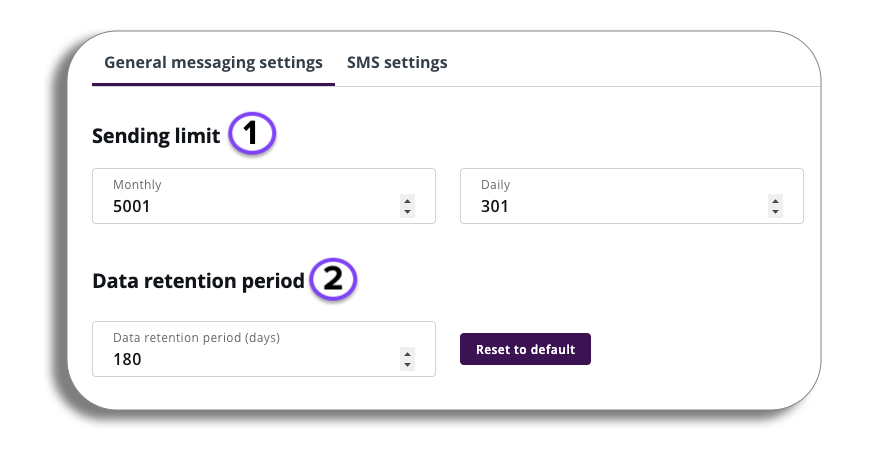
- As an admin, here you will be able to set a limit for the maximum number of messages which your account can send in a given day or month.
- The Data retention period will let you set the maximum period in which message data will be stored.
Sending Hours
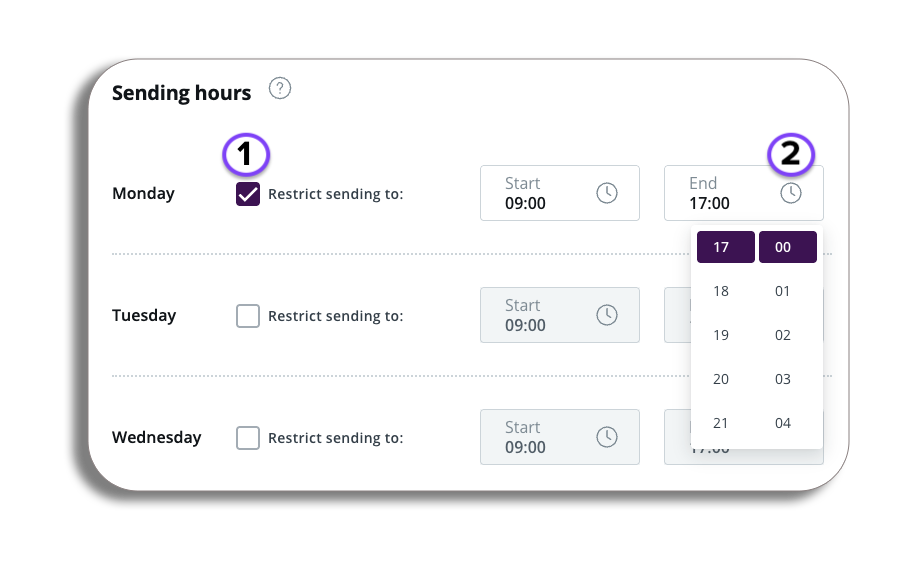
- To enable restricted sending hours for this account, enable sending hours for any of the days listed and select the hours where messages can be sent.
- This can be edited and marked as restricted this is to prevent outbound messages outside of the sending hours that are configured.